Export Data
Unlock the power of comprehensive financial datasets with our Export Data page. Seamlessly access and analyze extensive financial metrics spanning your chosen date range.
Overview
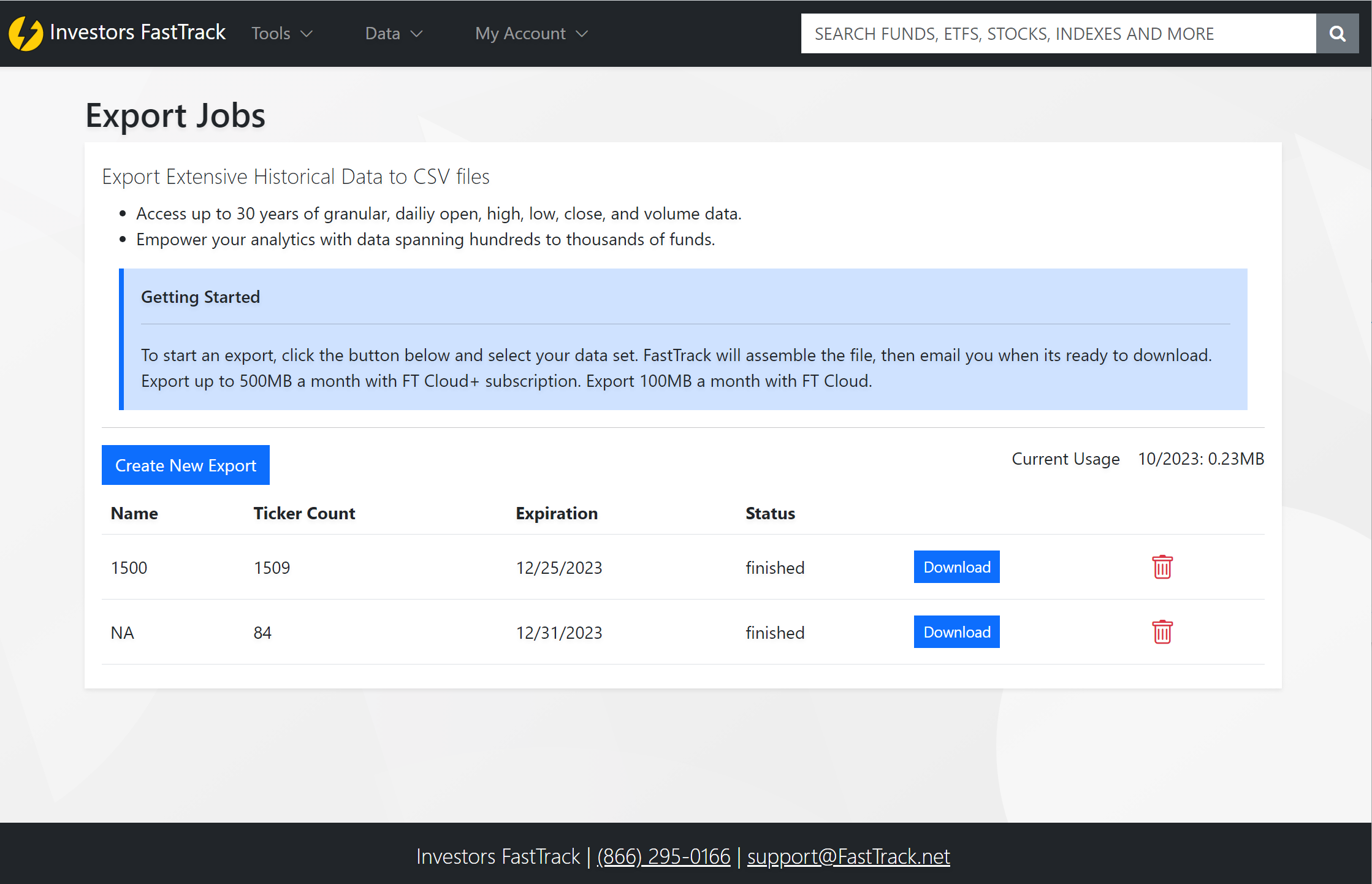
Retrieve detailed Open, High, Low, Close, and Volume data. Define your desired date range, and once processed, receive your export in a CSV format, efficiently compressed within a zip file and ready for download.
Key Features:
- 📅 Date-Range Selection: Customize your data exports from days to years.
- 💼 Bulk Data Analysis: Dive deep with datasets across a multitude of funds.
- 📤 Efficient Exports: Once processed, quickly download and share your invaluable insights with your clientele or team.
Page Components
1. Create New Export
Initiate your data export process with a single click, leading you to an array of data options.
2. Historical Exports
Stay organized and updated with your past exports. This section provides:
- Name: Your specified identifier for the dataset.
- Ticker Count: Gauge the breadth of your chosen dataset.
- Expiration: Know the lifespan of your data — available for 30 days post-creation.
- Status: Monitor the progress — is it Pending or Finished?
- Actions:
- 📥 Directly download your zipped CSV dataset.
- 🗑️ Effortlessly remove undesired exports.
3. Monthly Usage Gauge
Stay updated with your monthly data extraction quota:
- FT Cloud+ Users: Up to 500MB/month.
- Standard FT Cloud Users: Up to 100MB/month.
Export Creation Process
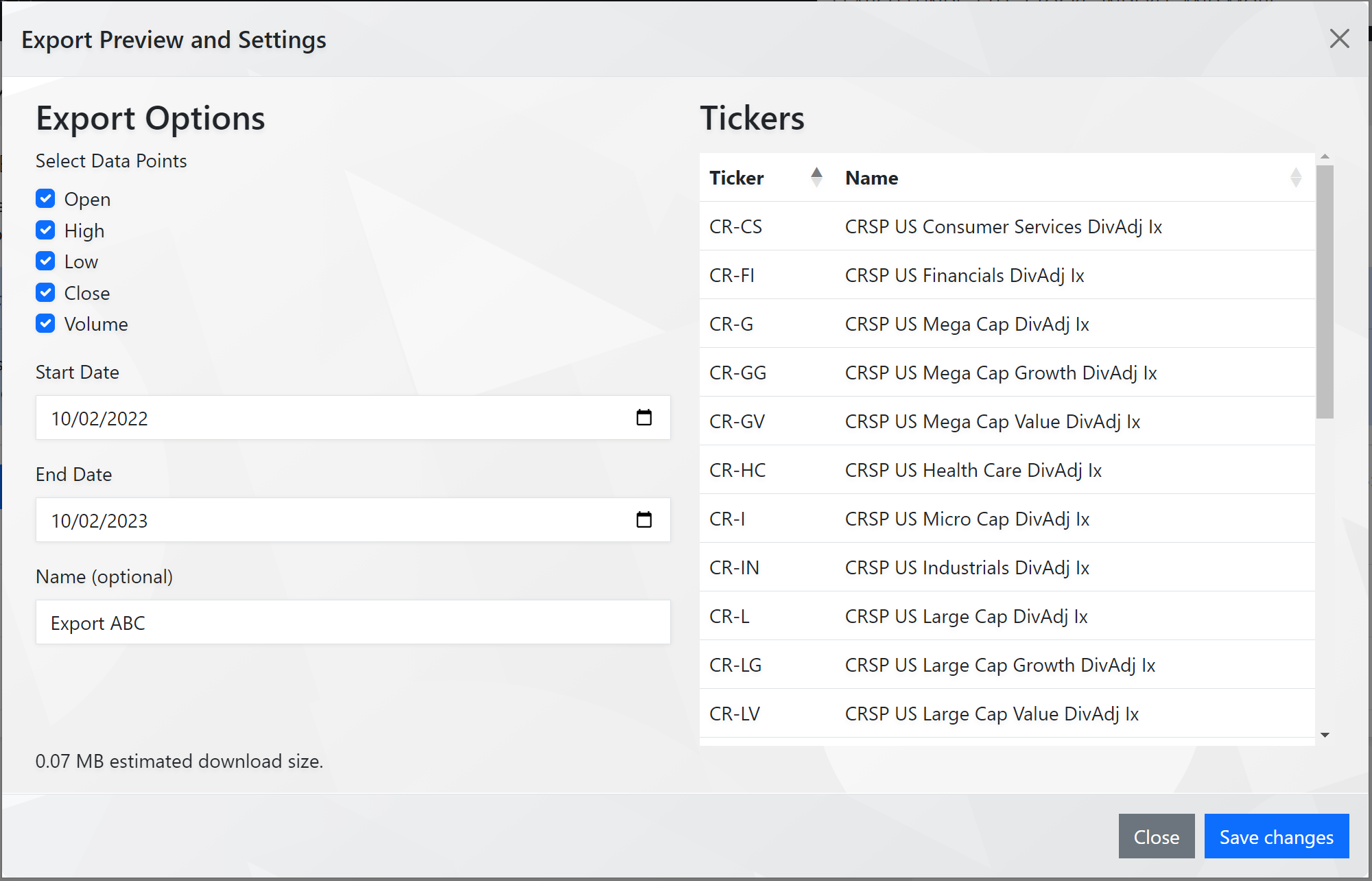
1. Initiate Data Selection
By clicking "Create New Export", you're presented with options to select from our vast ticker list or set specific criteria through a screener.
2. Define Your Export
Upon selection, a window allows you to:
- Assign a name for your dataset.
- Specify the Start and End dates for your data range.
Once your export job is completed, you'll receive an email notification. This email will contain a link, directing you back to this page, where you can swiftly download your data, neatly compressed as a zip file.