Dynamic Model: Elevate Your Portfolio Analysis
Overview
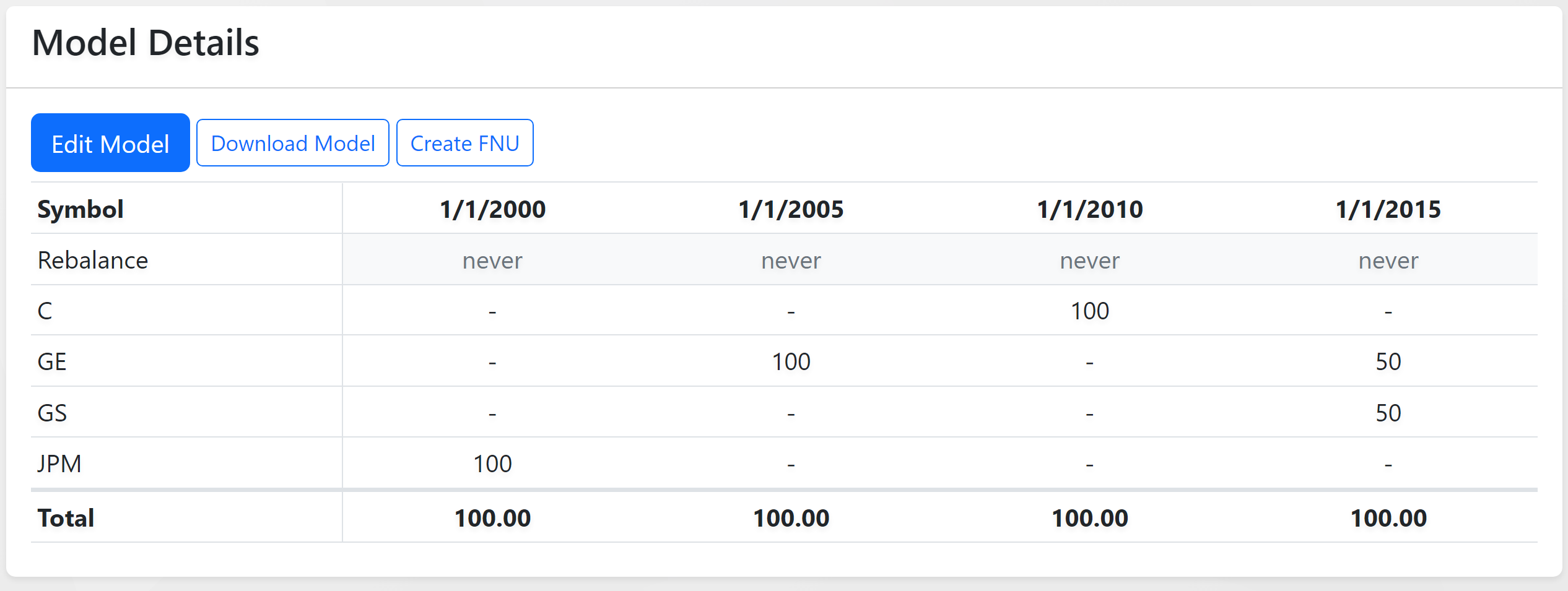
The FastTrack Dynamic Model revolutionizes portfolio management by allowing the integration of multiple static models over various time periods. This advanced feature is indispensable for backtesting historical trading strategies, crafting custom benchmarks, and providing a comprehensive view of diverse investment strategies over time.
Preparing Your Data
To leverage the dynamic model effectively, begin with organizing your portfolio data in an Excel or CSV file. This file will serve as a detailed record, showcasing the evolution of your portfolio compositions across different periods.
Essential File Layout
- Temporal Segmentation: Outline your portfolio's transformation over time, detailing the allocation changes at specific intervals.
- Rebalance Indicators: Mark each significant portfolio adjustment or rebalance, signifying a strategic shift in composition.
- Date-Grouped Analysis: FastTrack analyzes portfolio transitions based on the dates provided, examining the trading activity and strategic shifts.
Getting Started
- Export Data: Utilize your portfolio management tool's export feature to generate the required data.
- CSV File Template: For ease of use, a CSV file template is available on the dynamic model's webpage.
File Format Requirements
Your CSV file should conform to the following structure for seamless integration:
Headers
- Required Header:
Date,Ticker,Weight,Rebalance.
Rebalance Column
- Options:
week,month,quarter,semi-annual,annual, or any positive whole number. - Default: If not provided, rebalance defaults to "never".
Weight Formatting
- Representation: Weights as percentages multiplied by 100 (e.g.,
100for 100%).
Date, Ticker, Weight, Rebalance (optional)
12/31/2020, JPM, 100, Month
12/31/2019, XLF, 100, Month
12/31/2019, BAC, 100, Month
Utilizing the Dynamic Model
The dynamic model's versatility allows for a wide range of applications, enhancing both investment strategy formulation and client communication.
Client Discussion
- Historical Performance: Utilize historical data to discuss past asset allocations and their impact, providing a tangible basis for strategic decisions.
- Decision-Making Insights: Demonstrate the real-life implications of past financial decisions, reinforcing advice with historical evidence.
Proxy Analysis
- Overcoming Limited Histories: For newer portfolios, simulate a longer track record by creating a composite of similar funds or assets with an established history.
Showcasing Strategies
- Tactical Management Illustration: Highlight the effectiveness of rotational or tactical strategies through comprehensive analytics, showcasing performance metrics and strategy outcomes.
Risk Management Over Time
- Progressive Risk Reduction: Design dynamic models that systematically decrease exposure to high-risk assets, utilizing FT Cloud's extensive data analytics, including standard deviation, correlation, and beta measures.